
Why Your Marketing Strategy Needs a Product Quiz (And How to Build One)

%20-%20featured.png)
Learn why product recommendation quizzes are the digital equivalent of a helpful store associate, guiding customers to the perfect product while collecting the zero-party data essential for highly personalized marketing campaigns.
Imagine walking into a massive department store looking for a new pair of running shoes. You are immediately confronted with a wall of 50 different options. Trail runners, road runners, stability support, neutral cushion, minimalist, maximalist…
Your eyes glaze over. You consider Googling "best running shoes 2025," but instead, you just walk out.
Now, imagine that same scenario, but this time, a friendly associate walks up to you. They ask, "Are you running on pavement or trails?" "Do you have high arches?" "What’s your weekly mileage?"
In three minutes, they hand you the perfect pair. You buy them, and you feel great about it.
In the world of e-commerce, your website is often that overwhelming wall of shoes. Your customers are suffering from decision fatigue—the psychological phenomenon where having too many choices leads to anxiety and, ultimately, no decision at all.
This is where the Product Recommendation Quiz enters your martech stack. It is the digital equivalent of that helpful store associate. It cuts through the noise, guides the customer, and most importantly, it collects the holy grail of marketing: Zero-Party Data.
If you aren’t using product quizzes to capture leads and drive sales, you are leaving money on the table. Here is how to use them to turn passive browsers into confident buyers.
Why Quizzes Are Your Secret Weapon for Sales
A product quiz (often built using a "personality quiz" logic) isn't just a fun engagement tool; it is a conversion engine. Here is why they work so well for modern business owners.
1. They Solve Analysis Paralysis
When a customer lands on your site, they don’t always know what they need. By asking 3-5 simple questions, a quiz takes the cognitive load off the customer. Instead of browsing through an overwhelming amount of products, they are presented with the one or two that solve their specific problem.
The Result: Higher conversion rates. Customers are far more likely to buy when they feel a product was chosen for them based on their specific needs.
2. They Collect Zero-Party Data
We talk a lot about zero-party data here at ShortStack, and for good reason. With third-party cookies crumbling and privacy laws tightening, data that customers voluntarily give you is gold.
When a user takes a quiz, they are explicitly telling you their preferences, pain points, and desires.
- “I have dry skin.”
- “I’m shopping for a gift for my dad.”
- “I’m willing to spend $50-$100.”
You don't have to guess or infer this from clicking behavior. They just told you.
3. They Boost Average Order Value (AOV)
Quizzes are fantastic for upsizing. If a customer tells you they are just starting a new hobby (e.g., "I'm a beginner at watercolor painting"), your result shouldn't just be a paint set. It should be the "Beginner’s Bundle" that includes the paper, brushes, and paints. You have established trust by asking questions, which earns you the right to recommend a more comprehensive solution.
How to Turn Quiz Leads into Sales
Okay, so you built a quiz, and people are taking it. That’s great engagement! But how do you turn that engagement into cold, hard cash? The magic happens in how you use the data you collect.
1. The Immediate Payoff: Personalized Results
The moment a user finishes your quiz, the results page should do the selling for you. Do not just say, "You are a 'Classic Style' person."
Say: "Based on your answers, the Classic Leather Tote is your perfect match because you need a bag that fits a 15-inch laptop and works for client meetings."
Include a specialized discount code (e.g., MATCH15) right on the results page to capture the impulse buy while their intent is highest.
2. The Long Game: Segmentation and Email Marketing
This is where the real revenue is generated. Most marketers treat their email list like a megaphone, blasting the same "20% OFF EVERYTHING" message to everyone.
With quiz data, you can treat your email list like a conversation.
Let’s say you run a pet supply store. You run a "What does your pet need?" quiz.
- User A gets the "High-Energy Puppy" result.
- User B gets the "Senior Cat" result.
If you send User B an email about durable chew toys for teething puppies, they will unsubscribe. But if you sync your ShortStack quiz data with your email marketing platform (like Mailchimp or HubSpot), you can tag these users automatically.
- User A enters your "New Puppy" nurture sequence: Tips for training, chew toy recommendations, and high-calorie puppy food.
- User B enters your "Senior Care" nurture sequence: Joint supplements, soft beds, and wet food.
This level of personalization can skyrocket your email open rates and click-through rates because every email feels relevant to that specific customer.
3. Retargeting with Precision
You can also use this data to create hyper-targeted ad audiences. Instead of retargeting everyone who visited your homepage, retarget the people who got the "Dry Skin" result with ads specifically featuring your heavy-duty moisturizer. The relevance of the ad lowers your cost-per-click and increases your return on ad spend (ROAS).
How to Build a Product Quiz Using ShortStack
Ready to build your own 24/7 digital salesperson? You don’t need to be a coder to do it. ShortStack’s Personality Quiz template is perfect for this. Even though it's called a "Personality" quiz, the logic is exactly what you need for product recommendations: If they answer X, show them Product Y.
Here is a step-by-step guide to setting it up.
Step 1: Select the Template
Create an account at ShortStack.com. (Don’t worry, it’s free to start!) Click to create a new campaign. Search for the Personality Quiz template. This template is pre-built to calculate scores or map answers to specific outcomes, which is exactly what we want.
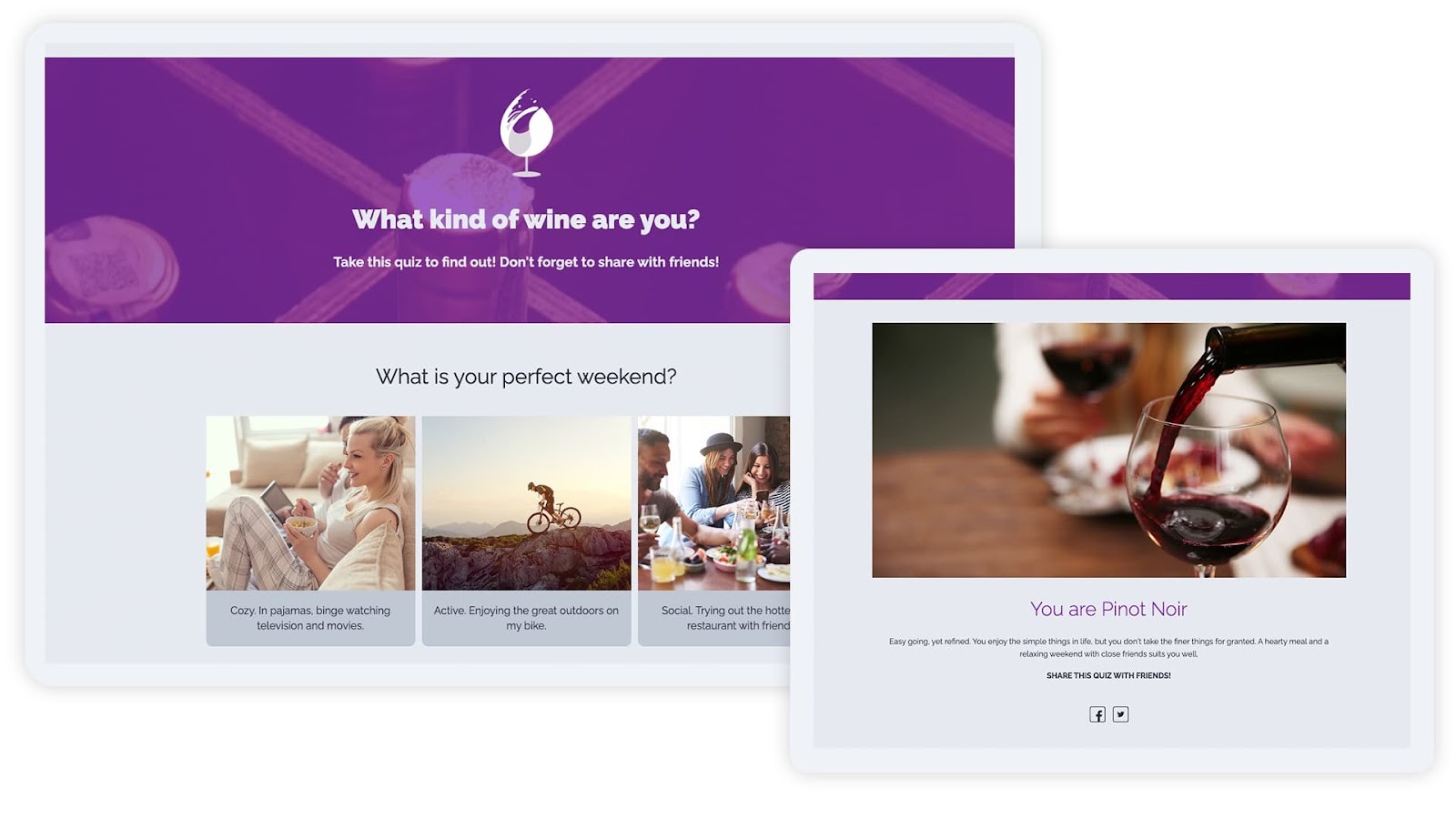
Step 2: Start with the Outcomes (The Products)
This might feel backward, but you always want to build your quiz in reverse. You need to know where you are sending people before you figure out how to get them there.
In the template settings (ensure you are in "Edit Off" mode to see the wizard), navigate to the Outcomes tab.
- Define your categories: These are your product recommendations. For a coffee shop, your outcomes might be "Dark Roast," "Light Roast," and "Espresso Blend."
- Add the details: For each outcome, upload a high-quality image of the product.
- Write the copy: In the description/outcome text, write persuasive copy explaining why this product is perfect for them. This is the most critical part of the sales pitch!
- Add the CTA: Use the Rich Text editor or add a Button Widget later to link directly to that product’s page on your Shopify or ecommerce store.
Step 3: Craft Your Questions
Now, switch to the Questions tab.
- Ask qualifying questions: Create 3-5 questions that help you filter the user.
- Question: "How do you drink your coffee?"
- Choices: Black, With Cream/Sugar, As a Latte.
- Map the answers: This is the cool part. For every answer choice, you will see an option to "assign points" or assign it to an Outcome.
- If they choose "Black," assign that answer to the "Light Roast" outcome.
- If they choose "As a Latte," assign that answer to the "Espresso Blend" outcome.
ShortStack will automatically tally these up. Whichever outcome gets the most "votes" based on their answers is the result they see at the end.
Step 4: The Lead Capture (The Gate)
You have two options here:
- Show results immediately: Good for pure engagement and lowering friction.
- Gate the results: Require an email address to see the results.
To drive sales and build a list, we recommend a hybrid approach. Allow them to see the result, but offer a bonus incentive if they sign up.
- “Your perfect match is the Espresso Blend! Enter your email below to get 10% off your first bag.”
Use the ShortStack Form Container Widget to collect their name and email. Make sure to map these form fields to your email marketing software integration so the data (and their quiz result) flows seamlessly into your CRM.
Step 5: Style and Launch
Finally, use the Style Panel to match the quiz to your brand.
- Change the fonts to your brand’s typography.
- Update the button colors to your hex codes.
- Adjust formatting and layout.
Once it looks sharp, hit publish! You can embed this quiz directly on your homepage, use it as a pop-up, or host it as a standalone landing page to link in your social media bios.
The Bottom Line
Your customers are tired of scrolling. They want answers and to feel understood. A product quiz allows you to provide that concierge-level service at scale, 24 hours a day.
By combining the interactive fun of a ShortStack quiz with the strategic power of zero-party data, you aren't just engaging your audience—you’re guiding them straight to the checkout line.
Ready to build your own? Try ShortStack’s Personality Quiz template today.


