How to Run a Viral Photo Contest That Builds Brand Awareness and Email Lists Simultaneously
Learn how to run a viral photo contest that builds your email list and brand awareness simultaneously. Step-by-step guide with real examples + results.
:format(webp))
Photo contests are one of the most powerful yet underutilized marketing strategies for small businesses. When done right, they generate authentic user-generated content (UGC), dramatically expand your email list, and create the kind of organic social sharing that money can't buy.
The numbers don't lie: Brands that run photo contests see an average engagement rate of 5.6%—significantly higher than the typical 1-3% engagement rate for standard social media posts. More importantly, 79% of people say user-generated content highly impacts their purchasing decisions.
But here's the challenge most small business owners face: How do you actually build and launch a photo contest without a development team, without breaking the bank, and without spending weeks figuring out the technical details?
This guide walks you through the exact process, step by step.
Why Photo Contests Work So Well for Small Businesses
Before we dive into the how-to, let's talk about why photo contests consistently outperform other marketing campaigns:
1. They create authentic social proof. When customers submit photos using your product or at your location, they're providing testimonials more powerful than any ad you could create.
2. They leverage network effects. Every participant becomes a promoter, sharing their entry with friends and family to gather votes—exponentially expanding your reach.
3. They build your email list while people are excited. Unlike traditional lead magnets, contest entries happen when participants are already engaged and enthusiastic about your brand.
4. They generate months of content. A single contest can produce hundreds of images you can repurpose across social media, email campaigns, and website galleries.
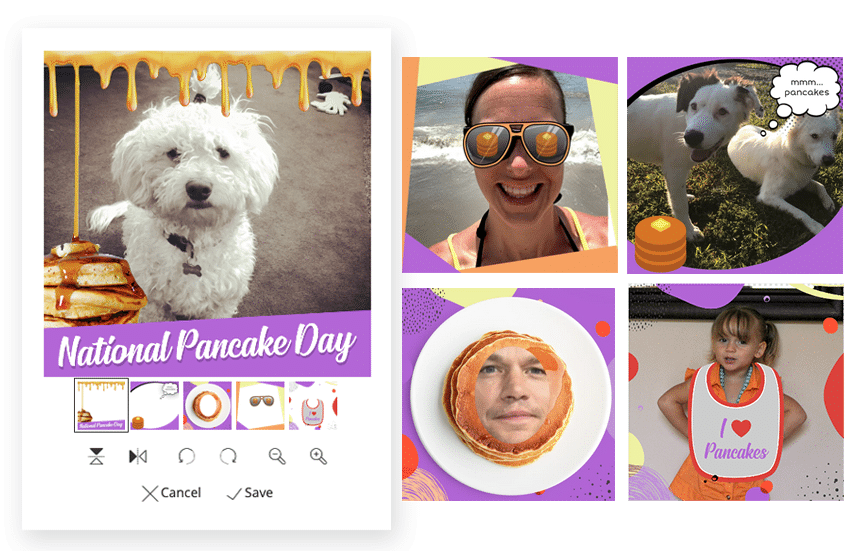
Real-world example: Here at ShortStack, we tested our new “branded frames” feature by running a photo contest of our own. It collected nearly 3,000 entries, which, not only resulted in a whole-lotta brand awareness, but also gave us 3,000 UGC examples we’ve been using in follow-up marketing ever since.
The Step-by-Step Process to Launch Your Photo Contest
Step 1: Define Your Contest Theme and Entry Requirements
Your theme should align with your brand while being broad enough to encourage participation. The best photo contests balance specificity with accessibility.
Strong theme examples:
- Coffee shop: "Your Perfect Coffee Moment"
- Fitness studio: "Transformation Tuesday Showcase"
- Pet store: "Best Pet Costume"
- Home decor brand: "Room Makeover Reveal"
- Restaurant: "Our Dish, Your Way"
Entry requirements to consider:
- One photo submission per person (or allow multiple to increase engagement)
- Must include your product, location, or branded hashtag
- Photo must be original content
- Minimum age requirement (typically 18+ for legal simplicity)
Pro tip: Require email submission for entry, but allow unlimited voting without email capture. This dramatically increases your contest's viral potential while still building your list.
Step 2: Choose Your Voting Mechanism
How winners are selected fundamentally changes participant behavior and campaign outcomes.
Public voting (most viral): Participants share their entries to gather votes from friends and family. This creates maximum social reach but can favor participants with larger networks rather than the best photos.
Judge selection (highest quality): A panel selects winners based on photo quality, creativity, or adherence to the theme. This produces better content but reduces viral sharing since participants can't influence outcomes.
Hybrid approach (recommended): Combine public voting for a "Fan Favorite" winner with judge-selected winners for specific categories. This maximizes both reach and content quality.
Step 3: Structure Your Prizes Strategically
Your prize directly impacts both the quantity and quality of submissions. The goal is attracting your ideal customer, not just anyone.
Prize strategy principles:
- Offer your own products/services as the top prize. A $500 gift card to your store attracts qualified leads who actually want what you sell.
- Create multiple winner tiers. First place, runner-up, and fan favorite awards increase perceived winning odds.
- Consider value over cash. A "$1,200 value prize package" sounds more impressive than "$300 cash" even if your cost is similar.
Example prize structure for a boutique fitness studio:
- Grand Prize: 6-month unlimited membership ($1,200 value)
- Runner-up: 3-month membership ($600 value)
- Fan Favorite: $100 studio merchandise credit
This attracts people genuinely interested in fitness while building a list of high-intent prospects.
Step 4: Build Your Contest Page
Use a dedicated contest platform that handles the entire technical infrastructure—photo uploads, email capture, gallery display, voting systems, and winner selection—without requiring any coding.
ShortStack is specifically designed to solve this problem. You can build a complete photo contest in under an hour using their drag-and-drop builder, with everything you need already built in:
- Mobile-responsive photo upload forms
- Automated email collection and verification
- Public voting galleries with social sharing buttons
- Integration with your email marketing platform
- Real-time entry moderation and management
What to include on your contest page:
- Clear, compelling headline explaining the contest
- Visible prize information
- Simple entry instructions
- Contest rules and end date
- Example submissions (once entries start coming in)
- Social sharing buttons
- Trust indicators (your logo, contact info, privacy policy link)
Step 5: Set Up Automated Email Workflows
The real value of a photo contest isn't just the immediate engagement—it's the ongoing relationship you build with new subscribers.
Essential automated emails:
Welcome email (sent immediately upon entry): Thank participants for entering, set expectations for the winner announcement, and include a special discount code to drive immediate revenue.
Voting reminder (sent midway through contest): Notify participants that voting is open and encourage them to share their entry. Include their unique entry link for easy sharing.
Winner announcement (sent to all participants): Celebrate winners, showcase winning entries, and offer a consolation prize (like 15% off) to everyone who entered but didn't win.
Post-contest nurture sequence: Continue engaging new subscribers with your regular email marketing, showcasing how previous contest winners use your products or services.
Step 6: Promote Your Contest Across Channels
Even the best-designed contest needs initial momentum. Plan to actively promote for the first 72 hours to trigger the viral effect.
Promotion checklist:
- Pin announcement to the top of all social media profiles
- Send a dedicated email to the existing list
- Create Instagram/Facebook Stories with countdown stickers
- Post in relevant Facebook Groups or community forums (where allowed)
- Add banner to website homepage
- Include in email signature
- Ask employees/team to share on personal accounts
- Consider a small paid social budget ($50-$200) to jumpstart entries
Timing matters: Launch on a Tuesday or Wednesday for maximum visibility. Avoid major holidays or competing events in your industry.
Step 7: Moderate Entries and Engage Participants
Once submissions start rolling in, stay actively involved:
- Approve entries promptly (set up mobile notifications)
- Comment on and like entries on social media
- Feature standout submissions in your Stories or feed
- Respond to questions quickly
- Remove any entries that violate rules
Active engagement from your brand encourages more participation and shows you're paying attention.
Step 8: Announce Winners and Convert Momentum
When the contest ends, move quickly to maintain momentum:
Within 24 hours of the contest close:
- Select and notify winners privately first
- Prepare announcement graphics featuring winning photos
- Publish a public announcement across all channels
- Send an email to all participants
Within the first week:
- Ship prizes promptly and ask winners to share unboxing content
- Feature winning entries prominently on your website
- Create a "contest recap" blog post with all entries
- Launch your consolation offer to non-winners
The conversion opportunity: This is when your new subscribers are most engaged. Your announcement email should include a clear call-to-action beyond congratulating winners—a limited-time discount, exclusive early access to new products, or an invitation to follow your social accounts.
Real Use Cases: Three Brands That Nailed Photo Contests
Case Study 1: Chubbies' Million-View "Dad Bod" Campaign
The Setup: Chubbies, a men's shorts brand known for fun, irreverent marketing, launched a UGC photo contest celebrating "Dad Bods"—encouraging guys to submit photos showing off their real, unapologetic bodies in Chubbies shorts.
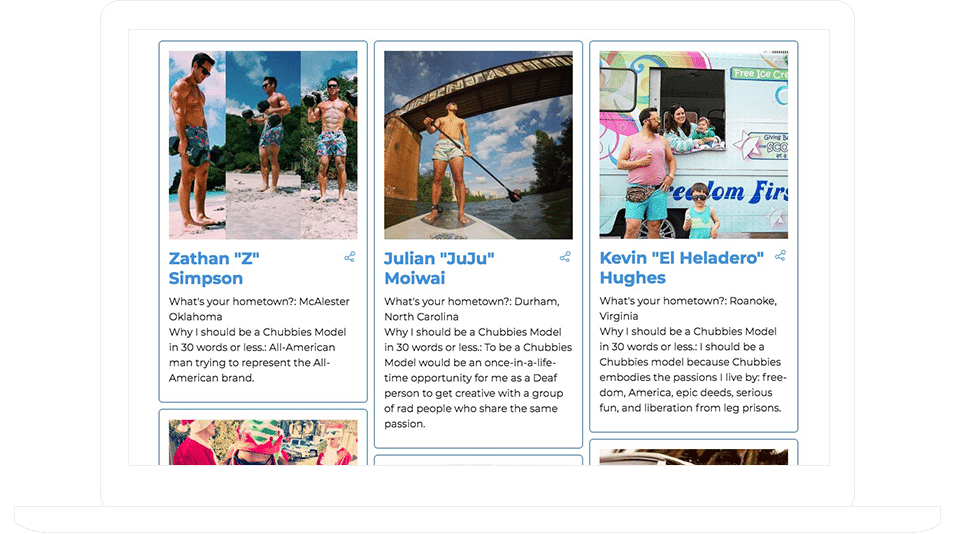
The Results:
- Over 1 million views across platforms
- Massive social engagement and brand awareness
- Authentic user-generated content that money can't buy
- Strengthened brand positioning around body positivity and fun
The Smart Move: Chubbies chose a theme that aligned perfectly with their brand personality while tapping into a cultural conversation about body image. The contest wasn't just about gathering photos—it was about creating a movement. By celebrating real bodies instead of perfect ones, they generated content that felt genuine and shareable. Each submission became free advertising as participants proudly shared their entries across their own social networks.
Key Takeaway: The right theme transforms a simple photo contest into a cultural moment. Chubbies proved that when your contest theme resonates emotionally, the viral potential multiplies exponentially.
Case Study 2: Dog Photo Contest Drives Brand Awareness and Engagement
The Setup: A brand ran a dog photo contest, encouraging pet owners to submit adorable photos of their furry friends. The campaign focused on building brand awareness while collecting valuable user-generated content.
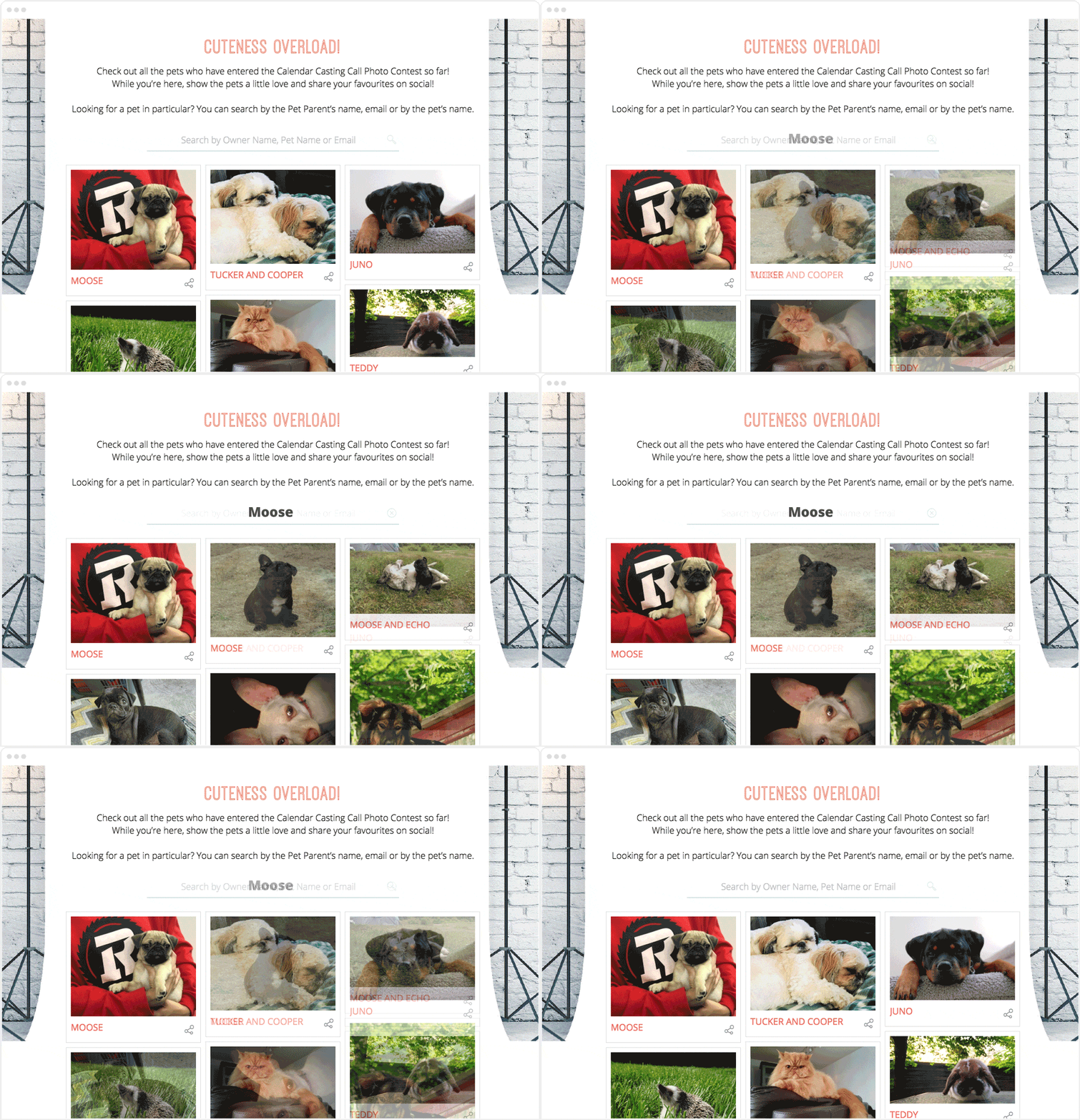
The Results:
- Significant increase in brand visibility
- High engagement rates from a passionate pet owner community
- Library of authentic UGC for ongoing marketing use
- Strong email list growth from a pet-loving target audience
The Smart Move: They recognized that pet owners are incredibly passionate and eager to show off their dogs. By creating a simple, accessible photo contest with a theme everyone could participate in, they tapped into a highly engaged community. Pet content naturally gets shared—people love showing off their animals to friends and family, which creates organic viral spread without requiring complex mechanics.
Key Takeaway: Choose contest themes that align with passionate communities. Pet owners, parents, hobbyists, and enthusiasts are naturally inclined to share content about their interests. When your contest taps into existing passion, participants do the marketing for you.
Case Study 3: Small-Town Radio Station's 24-Million-View Mother's Day Giveaway
The Setup: A local radio station created a Mother's Day UGC campaign asking listeners to submit photos and stories celebrating their moms.
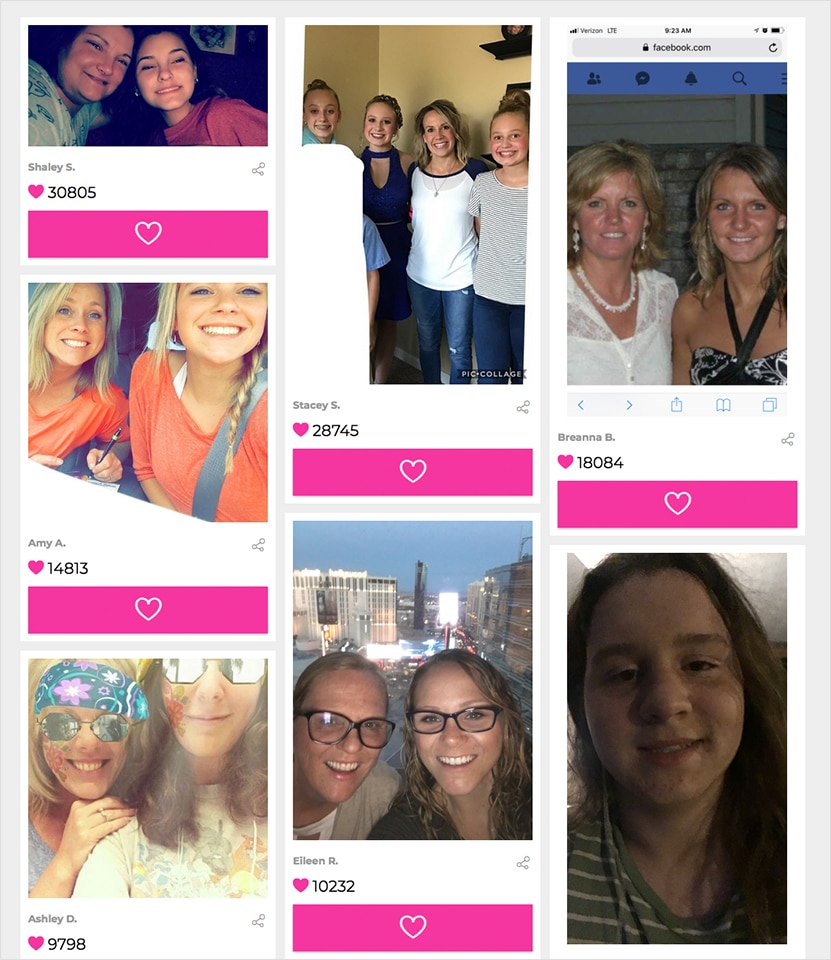
The Results:
- 24 million views (yes, million—from a small-town radio station)
- Massive audience engagement far beyond their typical reach
- Deep emotional connection with the community
- Transformed a traditional media outlet into a viral content hub
The Smart Move: They understood that Mother's Day is universally emotional and personal. By creating a platform for people to publicly celebrate their moms, they tapped into powerful storytelling. Every submission wasn't just a contest entry—it was a heartfelt tribute that family members eagerly shared across their networks. The emotional weight of the content drove unprecedented sharing.
Key Takeaway: Timing your contest around emotionally significant dates (Mother's Day, Father's Day, graduation season, holidays) dramatically increases participation and sharing. People are already thinking about these occasions—your contest gives them a public way to express those feelings while building your audience.
Advanced Tactics to Maximize Results
Once you've mastered the basics, these advanced strategies can amplify your results:
Create an "early bird" bonus prize. Offer an additional prize for entries submitted in the first 48 hours to jumpstart momentum.
Add a referral component. Award bonus entries to participants who refer friends (who must also enter the contest).
Repurpose winning content everywhere. Request permission to use winning photos in ads, on product pages, and in email campaigns. Most winners are thrilled to say yes.
Run annual (or more frequent) contests. Once you've proven the model works, make it an annual, quarterly, or seasonal tradition. Previous participants will anticipate and promote it for you.
Common Mistakes to Avoid
Even with the right tools, these mistakes can sink your contest:
Overly complicated entry requirements. Every additional step you add (follow us, tag three friends, share to your Story) reduces participation by 20-30%. Keep it simple.
Prizes that attract freebie seekers. A new iPad might generate thousands of entries, but they'll be from people who have zero interest in your business. Stay relevant to your niche.
No clear rules or end date. Ambiguity kills trust. Be explicit about when the contest ends, how winners are selected, and when they'll be announced.
Forgetting the legal requirements. Include basic contest rules covering eligibility, prize details, and how winners are selected. Most contest platforms provide templates.
Ignoring your new subscribers after the contest. If you don't have a post-contest email strategy, you've wasted the opportunity. These subscribers are hot leads—nurture them.
The Technical Reality: Why Most DIY Approaches Fail
Here's what typically happens when small businesses try to run photo contests without dedicated software:
- They use Google Forms, which doesn't display entries in a voteable gallery
- They manually collect photos via email, creating organizational chaos
- They use Instagram hashtags, losing ownership of the relationship and email addresses
- They build custom solutions that break on mobile devices
- They can't automatically verify emails or prevent duplicate entries
- They have no way to randomly select winners for legal compliance
The result? Hours of frustration, lower participation rates, and missed revenue opportunities.
This is exactly why ShortStack exists. It's specifically built to handle every aspect of running photo contests, landing page campaigns, and interactive marketing—without requiring any technical expertise.
Your Next Steps
You now have everything you need to launch a photo contest that simultaneously builds brand awareness and grows your email list. The question is: will you actually do it?
Most businesses read guides like this, think "that's a great idea," and never take action. The difference between them and the success stories in this article is simply execution.
Your action plan for the next 7 days:
Day 1: Decide on your contest theme and prize structure Day 2: Set up your contest page and entry form Day 3: Write your promotional content and email copy Day 4: Configure automated email workflows Day 5: Test the entire entry and voting process Day 6: Create promotional graphics and schedule social posts Day 7: Launch your contest
One week from now, you could have a live photo contest driving new subscribers and engagement. Or you could still be thinking about it.
Ready to build your photo contest?
What you get with ShortStack:
- Pre-built photo contest templates you customize in minutes
- Automated email capture
- Mobile-responsive galleries that look professional
- Built-in voting systems with fraud prevention
- Random winner selection for legal compliance
- Detailed analytics on entries, votes, and shares
ShortStack makes it ridiculously simple by giving you everything you need under one roof.
Create your free account at ShortStack.com, choose a photo contest template, and customize it for your brand. No credit card required to start.
:format(webp))