How to Build a Quiz That Generates Leads (Not Just Traffic)
Most quizzes go viral and leave nothing behind. No emails. No customers. Just a traffic spike that disappears. That's not a quiz problem, it's a strategy problem. When built correctly, a quiz is one of the highest-converting lead magnets available to small businesses, with completion rates averaging 54% according to ShortStack data. This guide walks you through the three quiz formats that actually generate leads, how to gate results behind an email opt-in, and how to build the whole thing in one place — no developer required.
:format(webp))
Every few months, a quiz goes viral. Millions of people take it, share their results, debate them in the comments. The brand behind it gets a flood of traffic and a brief moment of internet fame.
Then the traffic disappears, and they have nothing to show for it — no email list, no data, no customers. Just analytics.
Here's the thing: that's not the quiz's fault. It's how the quiz was built.
Used strategically, a quiz is one of the most effective lead generation tools a small business can deploy. Not because quizzes are trendy, but because they tap into something genuinely human. People love learning about themselves, and they'll do a surprising amount of work to get a personalized result. According to ShortStack’s user base, those who ran a quiz in the last 2 years saw a completion rate of 54% on average, which is far and above what you get from a standard opt-in form.
The difference between a quiz that builds your business and one that just builds your pageview count comes down to one decision: do you give the result away for free, or do you make the email address the key?
Why a Quiz Works Better Than Most Lead Magnets
Think about what a typical lead magnet asks of a stranger. Download this guide. Register for this webinar. Get 10% off. In every case, you're asking someone who doesn't know you yet to take a leap of faith and hand over their email in exchange for something they haven't seen.
A quiz flips that dynamic. By the time someone finishes answering your questions, they've already spent three or four minutes with your brand. They're curious about their result. They want to know what it says about them. At that point, asking for an email address isn't an interruption; it's the natural next step.
A Real World Example: How a Home Goods Retailer Got 155,000 Quiz Completions
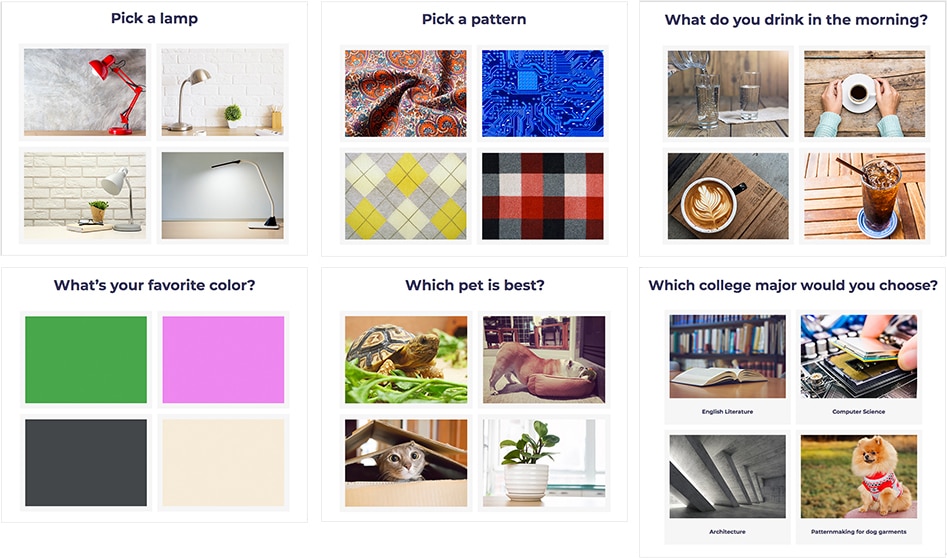
Global Homegoods, a retailer selling everything from bedding to kitchen tools, wanted to drive awareness around their college dorm product line during back-to-school season. Instead of running a standard promotion, they built a personality quiz in ShortStack: "How Should You Decorate Your College Space?"
Seven questions. A mix of lifestyle questions ("Pick a vacation destination") and decor preferences. At the end, quiz-takers got a style result with a "Shop the Look" link — and the option to enter for one of seven $100 dorm decor packages.
In five weeks: 169,000 views, 155,000 completions. For a $700 total prize budget.
But the more interesting number came later. Global Homegoods left the quiz live on their site after the giveaway ended. Another 229,000 people viewed it, and 175,000 of them took it anyway, with no prize on the table. They just wanted to know their style.
The quiz also fed their email marketing. Everyone who entered got an immediate autoresponder with a free shipping coupon. The quiz data told Global Homegoods which style profiles were most popular — informing everything from inventory decisions to future campaign targeting.
One quiz. One $100 prize, seven times over. Still running.
Three Quiz Formats That Actually Work
Here are the most popular quiz formats for the most effective lead gen.
The Personality Quiz
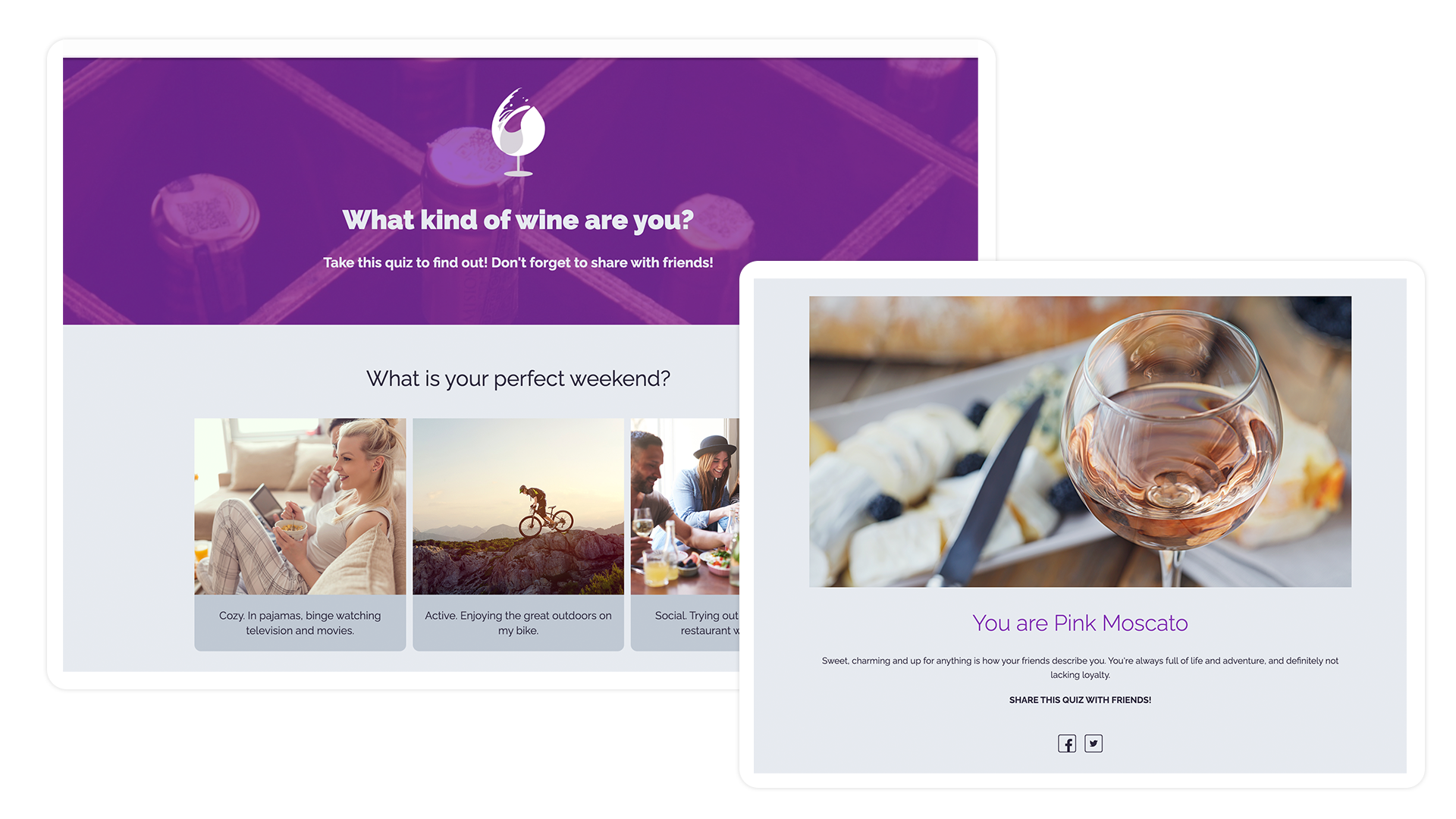
This is the format that goes viral. Just like we saw in the HomeGood example, a personality quiz allows you to ask a series of questions, and at the end, the visitor receives a personality type or profile. For example, their skin type, what type of camp sites they prefer, or the types of jeans that best flatter their figure. The psychology here is real: people are wired to enjoy self-reflection, and they share results that they find intriguing.
Results sit behind an email opt-in. Each new subscriber gets tagged by their archetype and drops into a welcome sequence with product recommendations built around their specific result. The quiz doesn't just capture the email, it tells the brand exactly what to say next.
The Product Recommender Quiz
This one is underused, especially in e-commerce and SaaS, and it's probably the highest-intent format of the three.
The idea is simple: instead of making a visitor browse through your catalog trying to figure out what fits their situation, you ask them a few questions and tell them. "Based on what you've told us, here's what we'd recommend." It saves them time, reduces decision fatigue, and creates a more confident purchase because they feel like they got expert guidance rather than just stumbling onto something.
The email gate works naturally here. Set up an autoresponder and say something like, "Enter your email, and we'll send your personalized recommendation". This type of email gets an extremely high open and click-through rate because you’re sending them something specifically tailored to their needs and that they’re already invested in.
The Knowledge Test
This one attracts a different kind of visitor — someone who wants to know where they stand on a topic.
A small business owner who takes a "How strong is your marketing strategy?" assessment and scores 4 out of 10 would be interested to learn the holes in their plan. A new homeowner testing their knowledge on home maintenance would want to know what they don’t know. In other words, they're in a moment of genuine self-awareness and they want to close the gap. Gating the full breakdown behind an email opt-in converts well precisely because the visitor's motivation is high.
This format is well-suited to consultants, B2B service providers, coaches, and anyone whose business model is built on expertise.
How to Build Yours in ShortStack
Most quiz tutorials stop at strategy and leave you to figure out the set-up yourself, which usually means cobbling together a quiz plugin, a separate form builder, and a Zap to connect them. With so many working parts, a lot can go wrong.
ShortStack is a solid quiz-creation solution. It's a campaign platform built for exactly this kind of thing — quizzes, contests, giveaways — with the entry form, conditional results logic, and email integrations all in one place. You don't need a developer, and you don't need to patch together multiple tools.
Here's the build process from start to finish.
Step 1: Map it out before you touch the tool
Open a doc and sketch out your quiz before you build anything. Depending on the type of quiz you’re building, you need:
- The result your visitor wants (this is your real product, the quiz is just the delivery mechanism)
- All possible outcomes (usually 3–5 is the sweet spot)
- The questions (6–10 questions is the range where completion stays high)
Get this right on paper first. Changing your logic mid-build is painful.
Step 2: Build the quiz
In ShortStack, start with a quiz template. Add your questions, set your answer options, and assign each answer either a point value (for scored quizzes) or a category tag (for personality or recommender quizzes).
The set up will be a little different depending on which type of quiz you’re building, but ShortStack’s templates have a setup wizard that make things even easier.
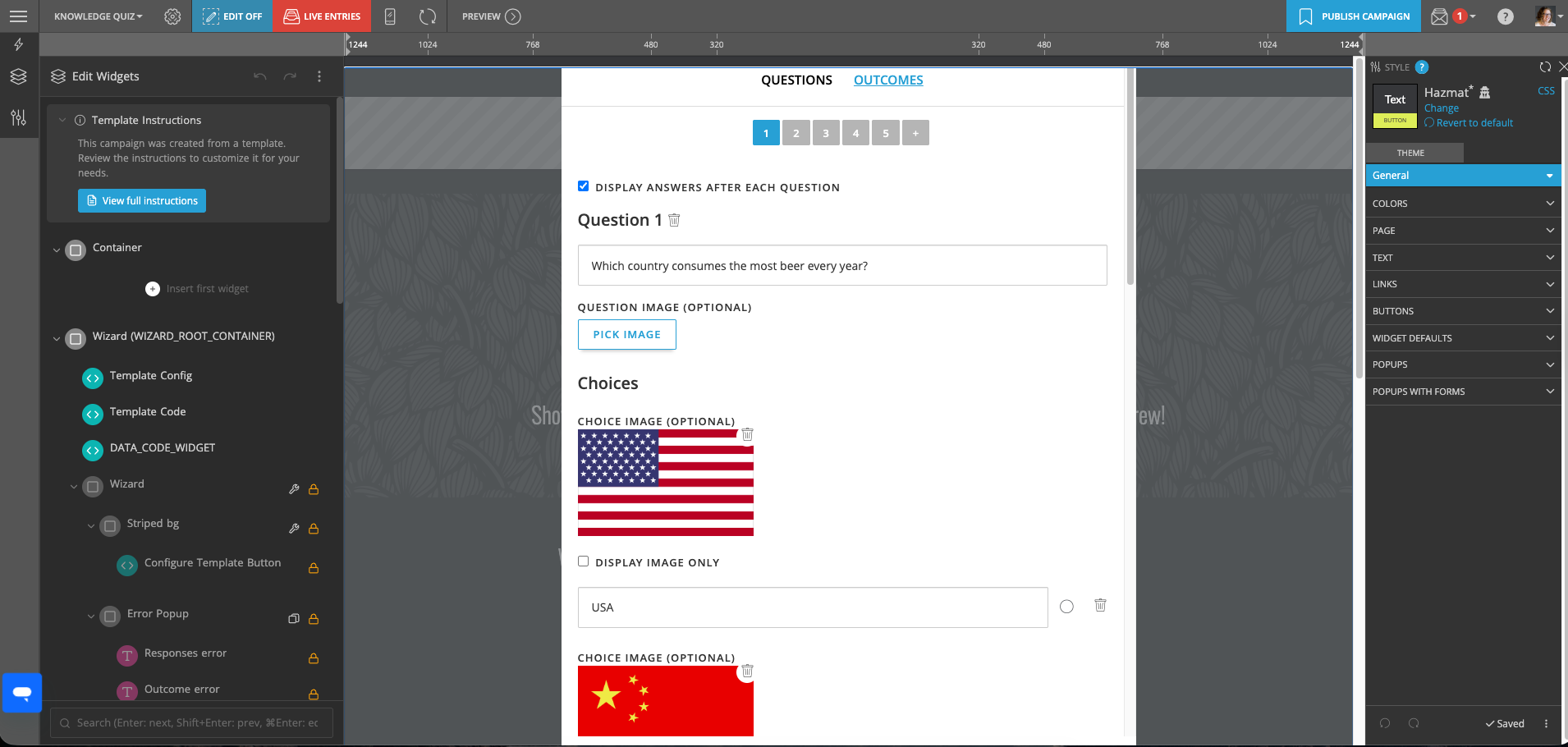
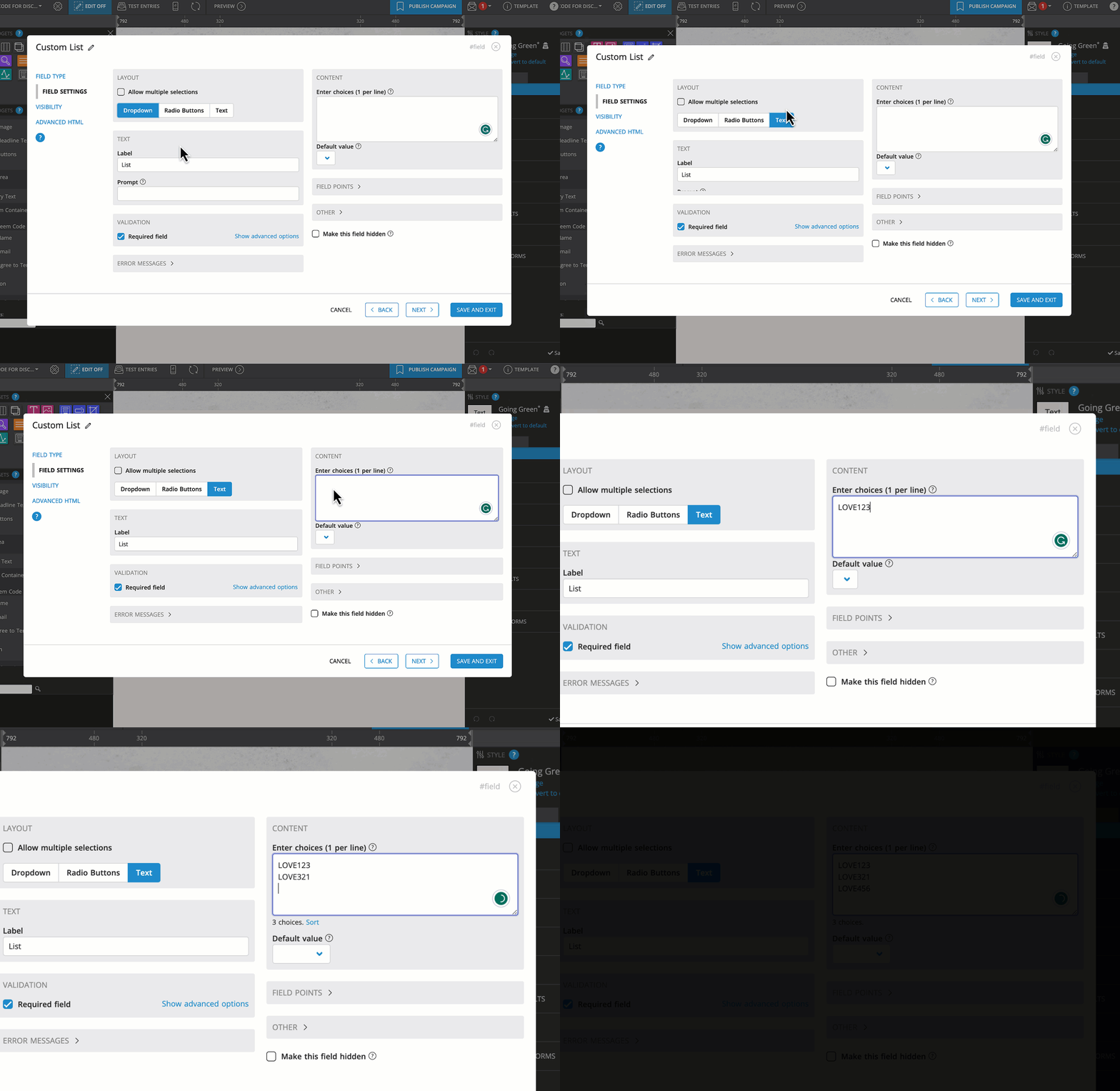
ShortStack’s Knowledge Quiz Template Setup Wizard
Step 3: Put the email gate in the right place
The email form needs to sit between the last question and the results page. Not before the quiz, and not after the result has already been revealed. ShortStack’s templates already have this built in.
When you set up your integrations, make sure you're passing the result through to your email platform. That result is the difference between a generic "thanks for signing up" email and one that feels like it was written for that specific person.
Step 4: Create one results page per outcome
Each result page should tell the visitor something they'll want to share. A flattering label, a specific insight, a genuine recommendation, not a generic paragraph that could apply to anyone.
Include social share buttons on every results page. A meaningful chunk of your quiz traffic will come from people sharing their own results, which brings their friends back to the start of the quiz.
Step 5: Write the autoresponder email like you mean it
Autoresponder emails get opened. The average open rate is around 82%, compared to 20% for a standard bulk send. Whatever your subscriber is going to learn about you, they're probably going to learn it in this email.
Before You Go
Most small businesses aren't losing leads because they don't have enough content. They're losing leads because their content doesn't ask for anything in return.
A quiz changes that. It creates a reason for someone to hand over their email that feels genuinely worth it to them. The brands doing this well aren't working harder than everyone else. They're just building their content to convert, not just inform.
ShortStack handles the full build, including the quiz logic, email gate, results pages, and integrations, all in one platform.
Start your free trial at ShortStack.com and build your first quiz today.
Frequently Asked Questions
Can ShortStack be used as a quiz builder? Yes. ShortStack supports personality quizzes, product recommender quizzes, trivia quizzes, and scored assessments — all with email capture, conditional results logic, and integrations with Mailchimp, Klaviyo, HubSpot, and other platforms.
What quiz type generates the most leads? For raw volume, personality quizzes. For qualified leads, product recommenders — because the visitor's intent is tied directly to a buying decision. For high-intent leads who need a service, knowledge tests.
How do I gate quiz results behind an email opt-in? Place an entry form between the final question and the results page. In ShortStack, this is a built-in part of the campaign flow — no separate tool or workaround needed. The visitor submits their email, and the results page releases automatically.
What conversion rate should I expect? A well-designed quiz gate typically converts between 25–50%. The biggest levers are result desirability (does the visitor genuinely want it?), form length (shorter is better), and how well the quiz questions feel personal rather than arbitrary.
Do I need a developer? No. ShortStack's builder is designed for marketers. You can set up quiz logic, email integrations, and results pages without writing code.
How does quiz result tagging work with email platforms? When a visitor submits the opt-in form, ShortStack passes their result as a tag to your connected email platform. That tag triggers the matching welcome sequence — so Mailchimp, Klaviyo, or HubSpot automatically sends the right email for each result.