How to Use Pop-ups to Grow Your Email List This Holiday Season
To turn holiday web traffic into long-term subscribers, give visitors something useful right away, like an exclusive discount, a curated gift guide, or a holiday giveaway entry. Show the offer when visitors are most engaged, such as on high-intent pages or during peak shopping days. Then follow up with relevant content that keeps them subscribed after the season ends.
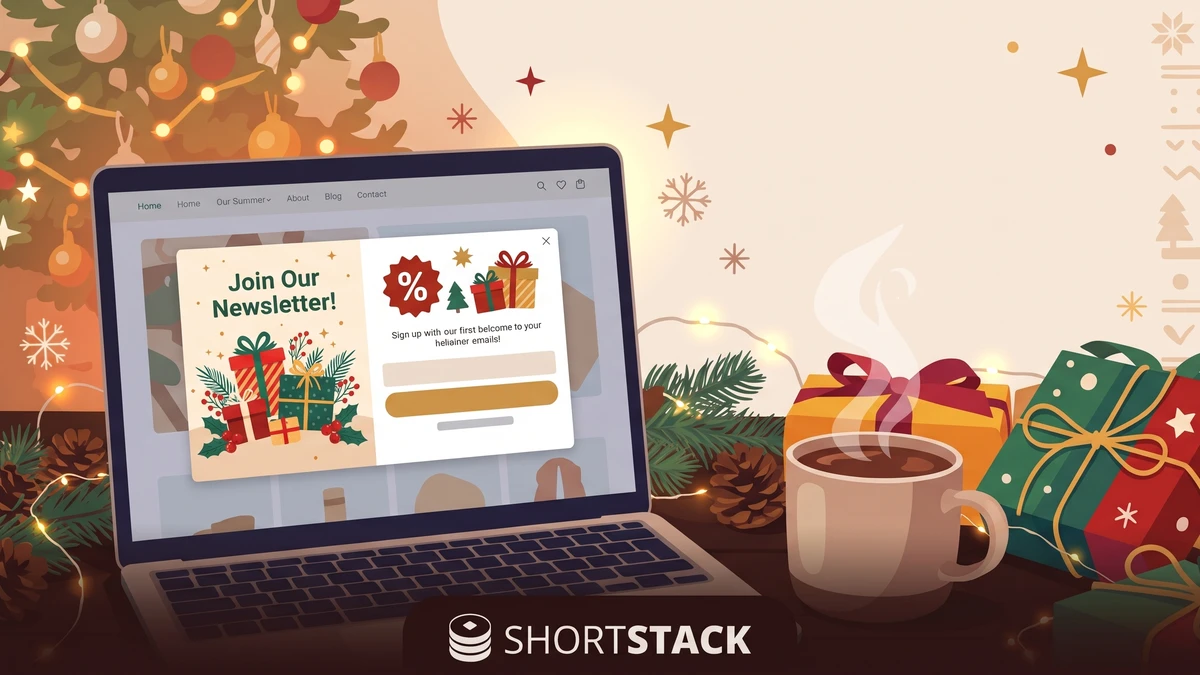
The holiday season brings more first-time visitors to most websites than any other time of year. Many of them are new to your brand, and most will leave without buying or signing up. Once they leave, you usually have no way to reach them again.
A well-timed pop-up gives those visitors a reason to share their email address before they go. That turns a one-time holiday visit into a contact you can reach in January, February, and the rest of the year.
This guide covers why pop-ups work well during the holidays, which offers get people to sign up, how to time and target your pop-up, and what to do with your new subscribers once the season ends.
Why pop-ups work during the holidays
Holiday visitors arrive with a goal: find a gift, find a deal, or compare options. A pop-up that offers something tied to that goal, such as a discount or a gift guide, feels helpful rather than disruptive.
The holidays also make the value of an email address clear. Shoppers expect sales announcements, shipping deadlines, and restock alerts this time of year, so they are more willing to sign up for them.
Finally, a pop-up reaches every visitor, not only the ones who scroll to your footer signup form. If your site gets a traffic spike from ads, social posts, or gift guides, a pop-up makes sure that traffic has a chance to convert.
Five holiday pop-up offers that get signups
The offer matters more than the design. Pick one that fits what your visitors came for.
- A holiday discount code. A percentage off or free shipping in exchange for an email address is the most familiar offer. It works best when the code is delivered by email, so visitors have to enter a real address to get it. Pro tip: Use a unique code instead of the generic "WELCOME10", so you know when it has been redeemed for further lead tracking!
- Spin to win or scratch-off. A short game inside the pop-up gives visitors a reason to stop and engage. Every spin or scratch requires an email address, and the prize can be a discount, free shipping, or a small gift. See our step-by-step guide to setting up a website reward wheel.
- Early access to sales. Offer subscribers first access to Black Friday, Cyber Monday, or end-of-year deals. This works well for brands that do not want to discount on top of an existing sale.
- A gift guide download. A gift guide by budget, recipient, or interest is useful to shoppers and does not cost you margin. It also tells you what each subscriber is shopping for. Check out ShortStack's Download Pop-Up template.
- A holiday giveaway entry. Let visitors enter to win a gift bundle or gift card directly from the pop-up. A giveaway can reach visitors who are not ready to buy yet but would like a chance to win.
Timing and targeting: when to show your pop-up
A pop-up that appears the second someone lands on your site often gets closed without being read. Give visitors a moment to see what you offer first. These three triggers cover most holiday needs:
Trigger | When it shows | Best for |
|---|---|---|
Time on page | After a visitor has been on the page for a set number of seconds | Discount codes and giveaway entries on product or landing pages |
Scroll depth | After a visitor scrolls a set percentage of the page | Gift guides and early access offers on blog posts or long pages |
Exit intent | When a visitor moves to leave the page | A last-chance discount or free shipping offer |
You can also combine triggers. For example, show a pop-up only after a visitor has spent 20 seconds on the page and scrolled halfway down. Combined rules help you reach interested visitors without interrupting people who are still browsing.
A few more targeting tips:
- Match the offer to the page. A gift guide fits a blog post. A discount fits a product page.
- Limit how often it appears. Showing the same pop-up on every page view frustrates returning visitors.
- Check it on mobile. Much of holiday shopping happens on phones, so make sure the pop-up is easy to read and close on a small screen.
Design tips for holiday pop-ups
A holiday pop-up should be quick to understand. Visitors decide in a few seconds whether to sign up or close it.
- Lead with the offer. Put the discount, prize, or download in the headline, such as "Get 15% off your holiday order."
- Ask for as little as possible. An email field alone gets more signups than a long form. You can collect more details later.
- Use seasonal touches lightly. Holiday colors or a simple graphic help, but the offer and form fields should stand out first.
- Make the close button easy to find. A hidden close button frustrates visitors and reflects poorly on your brand.
- Say what happens next. A line such as "Your code will arrive by email" sets expectations and reduces fake addresses.
What to do with new subscribers after the holidays
The value of a holiday signup comes after the season ends. Without a plan, many of these subscribers will forget why they signed up and unsubscribe in January.
- Send a welcome email right away. Deliver the promised code or download, and briefly say what subscribers can expect from you next.
- Tag subscribers by offer. Someone who downloaded a gift guide may have different interests than someone who took a discount. Tags let you send more relevant emails later.
- Plan a January reason to stay. A New Year offer, a product tip, or a new giveaway gives holiday subscribers a reason to open your next email.
- Clean your list in spring. If some subscribers have not opened anything by March, a short re-engagement email can confirm whether they still want to hear from you.
How to set up a holiday pop-up in ShortStack
You can build and launch a holiday pop-up in ShortStack without a developer.
- Start from a template. ShortStack includes ready-made pop-up templates, including discount, download, and exit pop-ups. You can also find seasonal ideas in the Holiday Hub.
- Add your offer. Update the headline, signup form, and prize or download. To add a game, include a spin to win, scratch-off, or instant win element.
- Set your triggers. Choose time on page, scroll depth, exit intent, or a combination.
- Add the embed code to your site. ShortStack's embed code works on any website.
- Connect your email platform. Send new signups straight to your email list so your welcome email goes out right away.
For more ways to turn holiday traffic into sales, see how to promote a Black Friday sale on your website.
Ready to start growing your list this season? Create your first pop-up free. No credit card required.