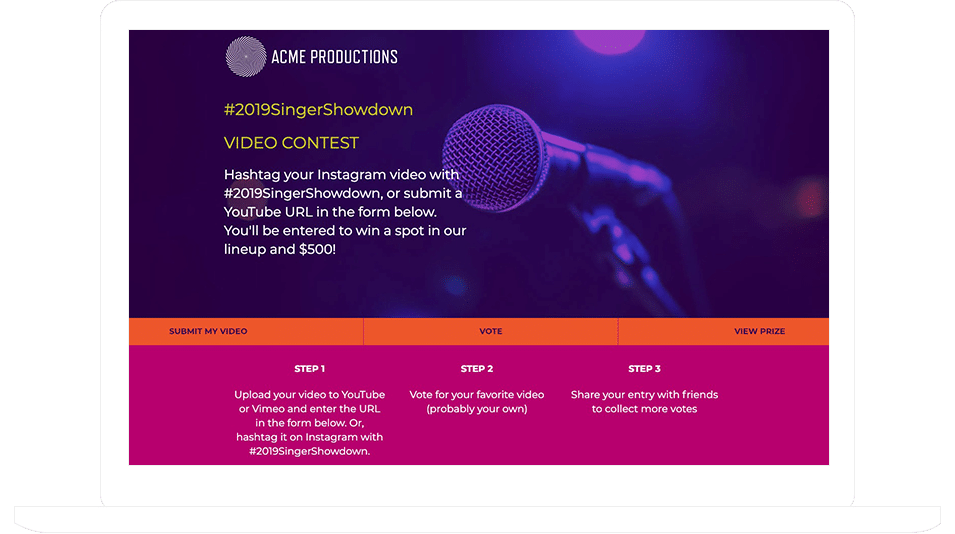
How to Collect and Moderate Hashtagged UGC Posts Without a Developer
Collecting hashtagged posts used to mean API access, rate limits, and a developer on standby. This guide walks through a full no-code workflow instead: connecting your account, auto-collecting posts by hashtag, moderating before anything goes live, securing real usage rights, and displaying approved content on your site or at events, plus the most common mistakes brands make with hashtag UGC (and how to avoid them).
:format(webp))
Hashtag campaigns look simple from the outside. Someone posts with your branded hashtag, you show off the best ones, everyone's happy. Underneath, though, you're dealing with API access, rate limits, content moderation, usage rights, and a display page that needs to update constantly. That's a real engineering project, not a quick afternoon task.
The good news is you don't actually need to build any of that yourself anymore. Here's how to run a full hashtag collection and moderation workflow using tools built for marketers who don’t have a team of engineers at their beck and call.
Why This Used to Require a Developer
Social platforms don't hand out hashtag data freely. Pulling posts by hashtag means working with official APIs (Instagram Graph API, for example), which require an app review process, access tokens, and ongoing maintenance since platforms change their rules often. On top of that, you need somewhere to store incoming posts, a way to filter out spam or irrelevant content, and a display layer that actually looks good on your site. Any one of those pieces is doable for a developer. All of them together, kept running reliably over time, is what used to make this a "put it on the roadmap" kind of request.
These days, there are a number of services that have done the ground work for you. Fof example, contest and giveaway builder, ShortStack, let’s you set up a “feed” of hashtagged posts by simply indicating the hashtag you want to pull in posts with and setting the dates you’d like to pull in posts between.
Read on to learn more about how to set this up.
What a No-Code Approach Actually Looks Like
Step 1: Set your hashtag and connect your account. Pick a hashtag that's specific enough to filter out noise but easy enough that people will actually remember and use it. For example, Acme Co. might use #AcmePhotoContest. In other words, something tied to your brand name or a specific campaign works better than a generic word.
Once you've chosen it, connect your Instagram or Facebook account to a UGC collection tool. This is usually a one-time OAuth login, similar to logging into any app with your Google or Facebook account. No API keys to manage, no developer needed for setup. Set up the dates you’d like your feed to run and voila! The set-up is complete.
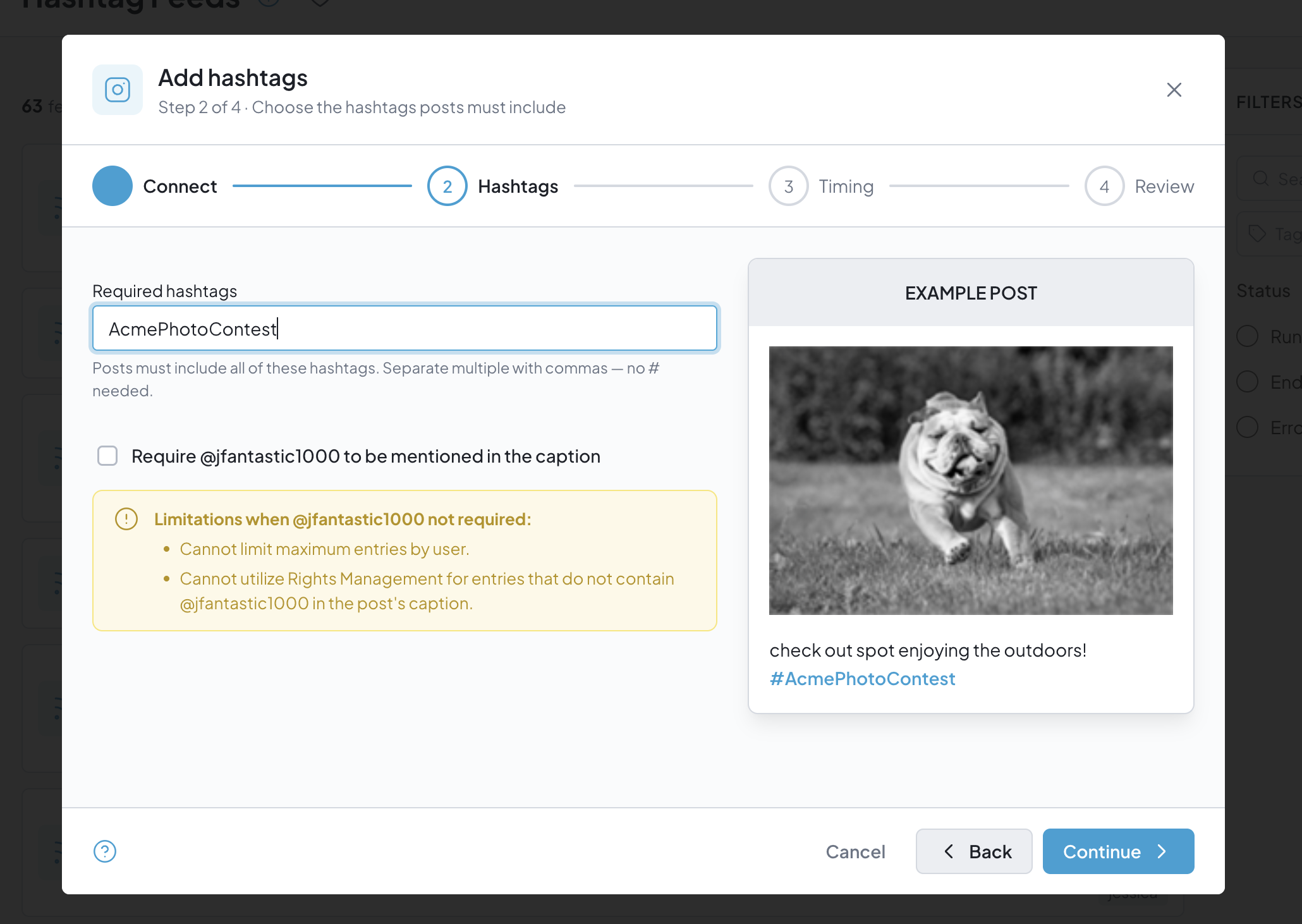 ShortStack’s hashtag import tool makes it easy to set up a fed of designated hashtagged posts
Step 2: Let the tool pull in posts automatically. From here, the platform monitors your hashtag and pulls in new posts as they come in, typically refreshing every few minutes. You don't need to check manually or write a script to poll the API. This is the part that used to require custom backend work, but is now done through a step-by-step interface.
Step 3: Moderate before anything goes live. This is the step people skip at their own risk. Not every post tagged with your hashtag is one you want on your website. Some will be off-topic, some might be low quality, and occasionally something inappropriate will slip through. A good moderation workflow lets you review incoming posts in a simple queue, approve the ones you want, and reject the rest, all without touching code. Look for tools that let you moderate in bulk so you're not reviewing for hours on end.
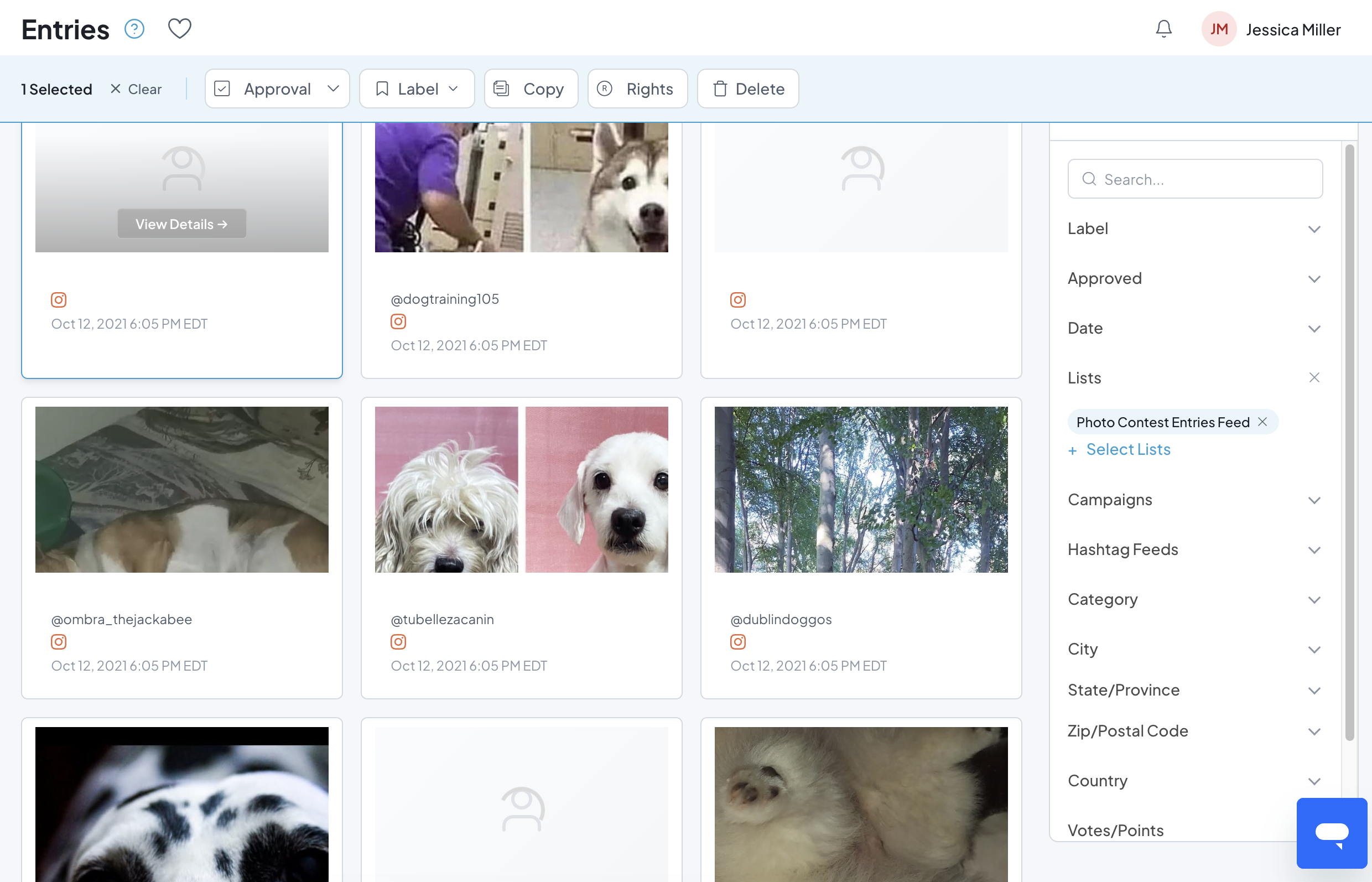 ShortStack’s Entries Manager allows you to monitor and approve entries before they’re live
Step 4: Get real usage rights, not just an assumption. Reposting someone's photo because they tagged your hashtag isn't automatic legal permission, even though it feels like it should be. Most UGC tools include a rights-request feature: you send an automated comment or message asking the poster for permission to repost, and their reply (a simple "yes" typically counts) gets logged as proof of consent. Keep that documentation. If you ever repost content commercially, you want a paper trail showing you asked and they agreed, not just a screenshot of the post itself.
Step 5: Display it wherever you want. Once posts are approved, most tools let you embed a live gallery on your website with a snippet of code you paste in once, not something you maintain. Some also let you display the wall at in-person events, in email campaigns, or on a dedicated contest landing page. The point is you're not rebuilding a display page every time you run a new hashtag campaign. You reuse the same setup and just swap the hashtag.
What to Watch Out For
Don't skip moderation to save time. It's tempting to auto-approve everything and let the wall update itself, but even a small percentage of off-brand or inappropriate posts showing up on your website can do more damage than the campaign was worth. Budget a few minutes a day, or assign it to someone on your team, to review the queue.
Don't assume a hashtag mention equals legal permission. This is the single most common mistake with UGC campaigns. Always use a real rights-request flow and keep records, especially if you plan to use the content in ads or other paid placements later, where usage rights matter even more.
Watch your hashtag for hijacking. Once a hashtag starts trending, people outside your intended audience may start using it, sometimes for unrelated content, sometimes deliberately to be disruptive. This is another reason moderation shouldn't be optional. A specific, branded hashtag is less likely to attract this kind of activity than something generic.
Check platform API limits before you scale up. If you're running a high-volume campaign, confirm your tool's refresh rate and post limits can keep up. Most no-code platforms handle this in the background, but it's worth a quick check before you promote a hashtag heavily, especially around a big launch or event.
The Bottom Line
Hashtag UGC campaigns used to sit on a developer's backlog because the plumbing behind them, API access, storage, moderation, display, was genuinely complex. None of that complexity has gone away, it's just been packaged into tools that handle it for you. What's left for you to do is the part that actually matters: picking a good hashtag, moderating what comes in, getting real permission before you repost, and putting the content somewhere people will actually see it. That's a marketing job, not an engineering one, and it's entirely doable without writing a single line of code.